


Written By – Abhinav Garg
CRMA provides tables ( value, compare or pivot) to get a view of the data that is close to the underlying dataset and these tables come with features that enable you to unleash fresh insights into your data.
In this scenario, the client wants to see the compare table view in the value table view, which means the grouped column should have values in all the cells.
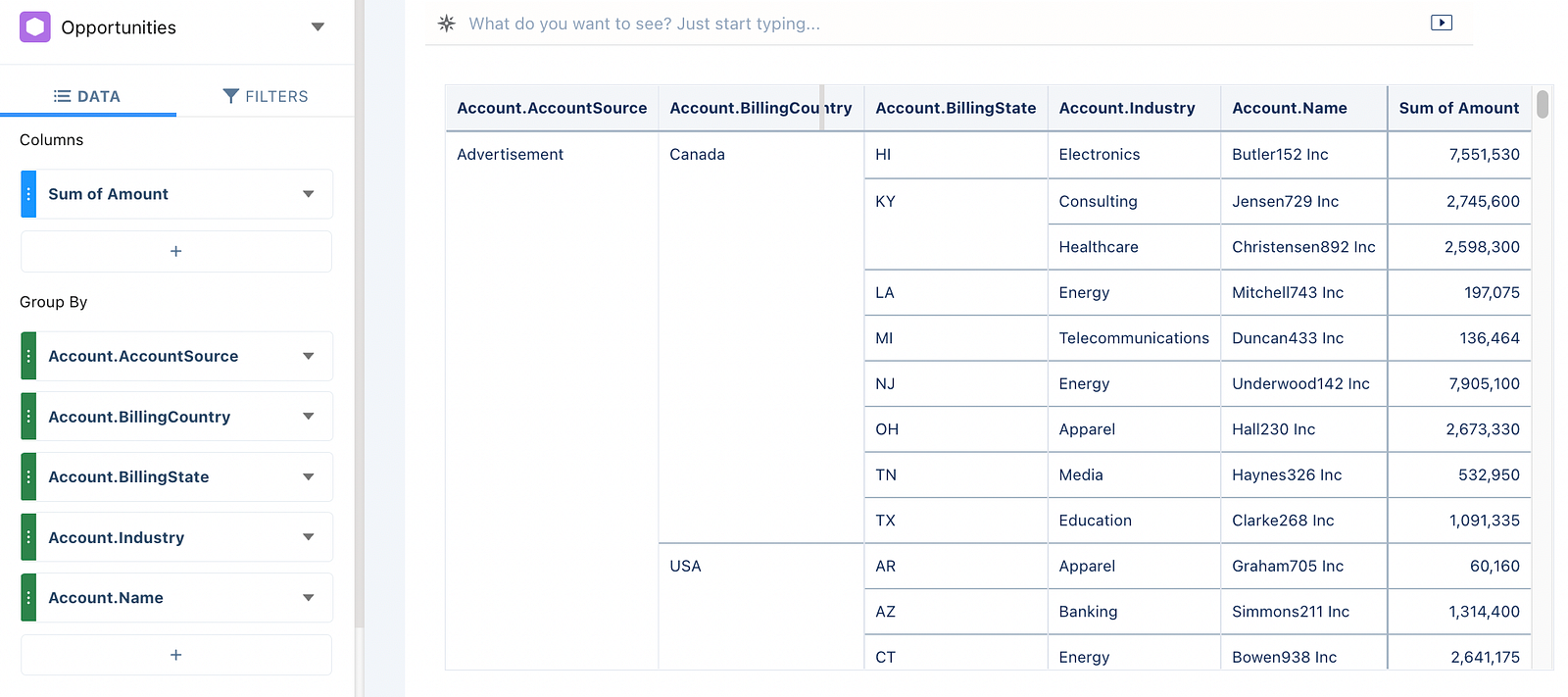
Sometimes, the user wants to see the data in all the cells, but when we have to use compare table due to any reason like — aggregation, then the grouped column view will be like as shown below image :
But the user expects the below one :
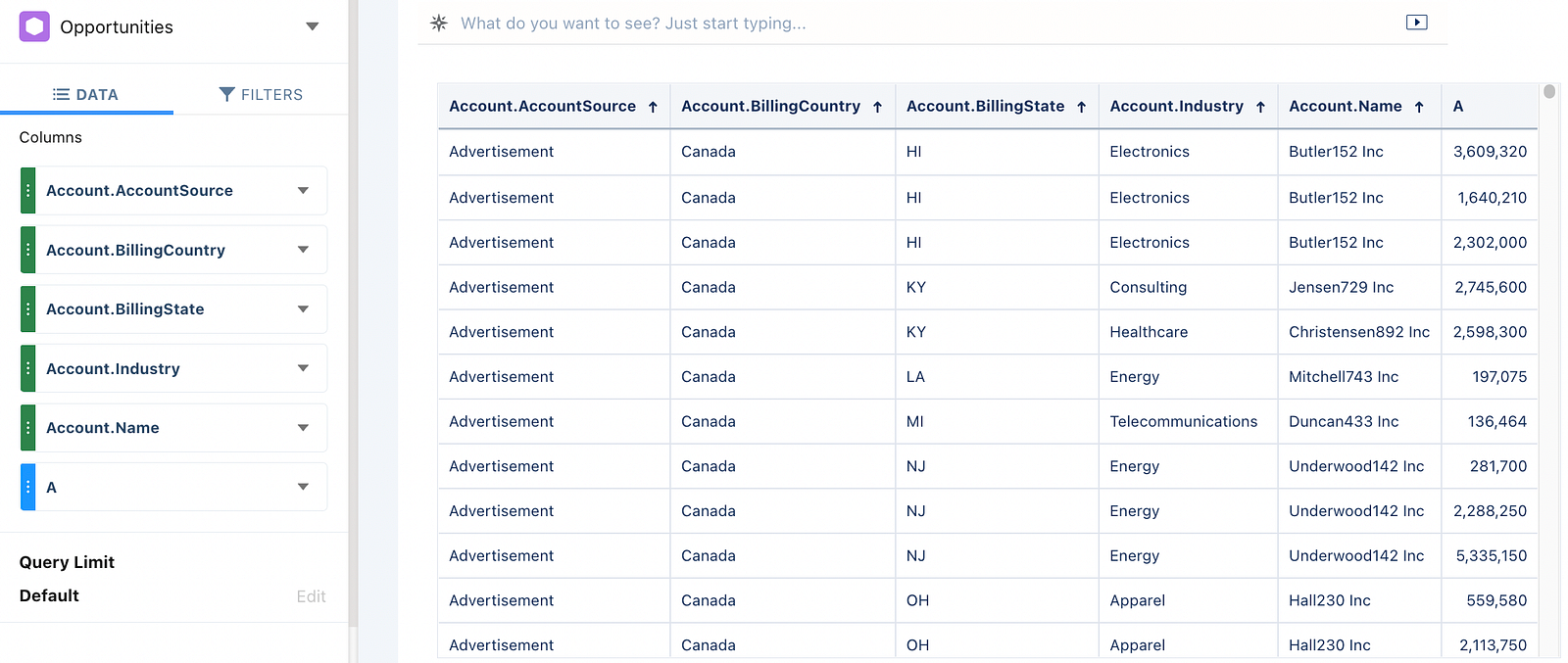
In this blog, we will see, the conversion of the compare table view in the values table. To achieve this requirement follow the below steps :
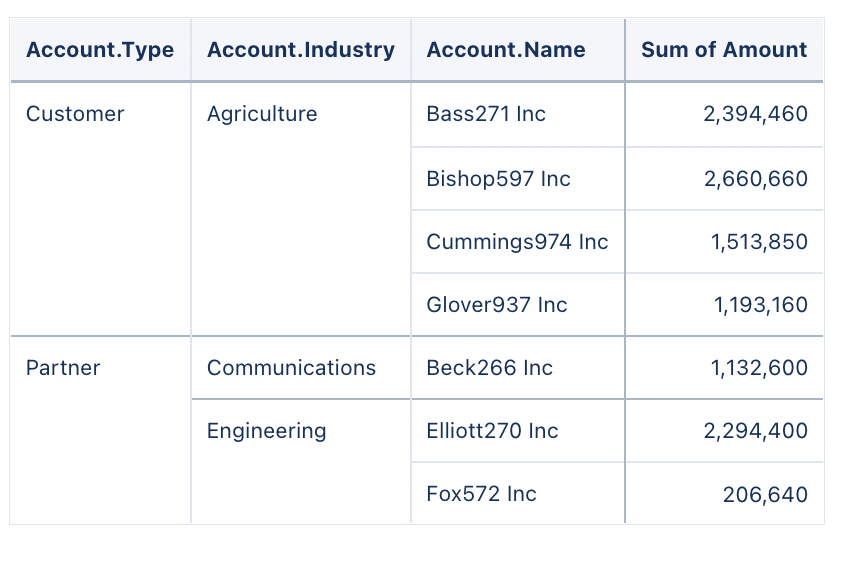
- I have created the below table: Group by — Type, Industry and Name. Measure — Sum of AmountWPBakery Page Builder
2. Move to SAQL

3. Convert your SAQL as per the below code

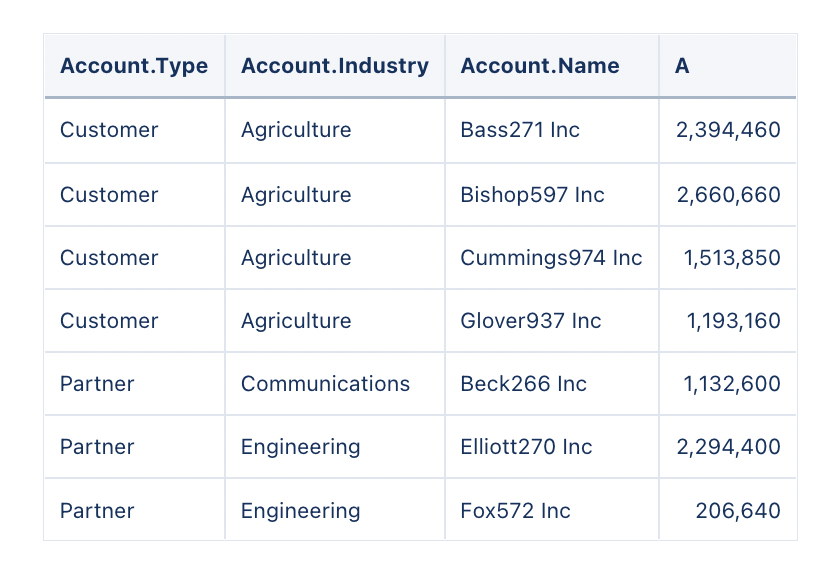
Desired Result —
Cheers!!